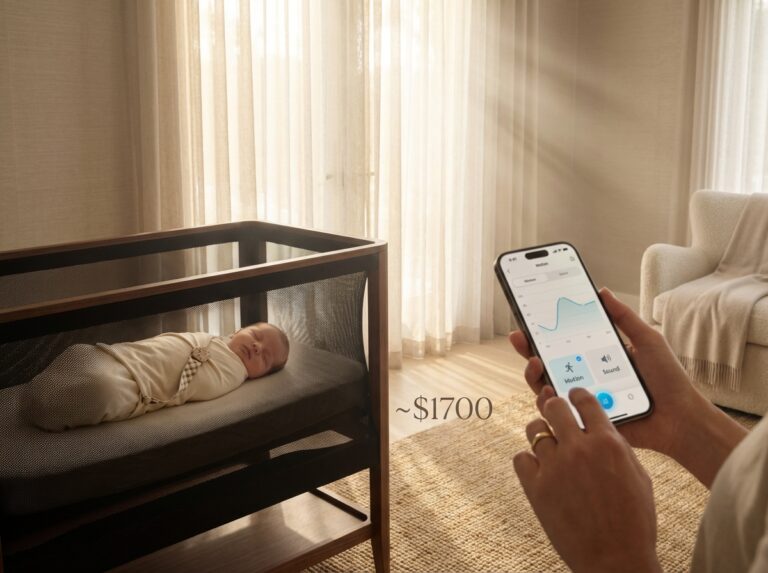
Choosing the best video baby monitor in 2025 means balancing clear night video, reliable alerts, and privacy. This guide compares WiFi and non‑WiFi options, explains modern security risks and protections, and gives a practical buying and testing checklist. If you want safe remote viewing without sacrificing sleep quality, learn which features matter and how to evaluate current models.
How video baby monitors evolved and what to expect in 2025
The journey from a simple audio crackle in the next room to a high-definition video feed on your phone has been a rapid one. Early baby monitors were essentially one-way walkie-talkies, using analog radio frequencies that were prone to interference from cordless phones and even your neighbor’s monitor. The first major leap was the shift to digital signals in the mid-2000s, which cleaned up the audio and video, making them clearer and more reliable.
This digital revolution split the market into two distinct paths that define the choices we have today. One path led to the modern non-WiFi monitor. These devices use dedicated, secure technologies like DECT for crystal-clear audio and, more importantly, FHSS (Frequency-Hopping Spread Spectrum) for video. FHSS technology constantly hops between frequencies on the 2.4 GHz band, creating a private, closed-circuit link between the camera and the parent unit. This makes them inherently secure from internet-based threats. The other path embraced the internet. The mass adoption of smartphones after 2010 fueled the rise of the WiFi baby monitor, transforming it from a simple monitoring tool into a connected device with cloud storage, remote access, and a host of smart features.
Fast forward to 2025, and the hardware inside these devices has become incredibly sophisticated. The grainy, low-resolution video of the past is gone. Today, 720p resolution is considered the baseline for entry-level models, while 1080p is the standard. Premium models now offer crisp 2K video, letting you see every tiny detail. A quality night vision baby camera is now a non-negotiable feature. Advanced infrared LEDs provide a clear black-and-white image in total darkness, and some newer models even use highly sensitive low-light sensors to offer color night vision, which feels much more natural.
Mechanical features have also become standard. Pan, tilt, and zoom (PTZ) functions, once reserved for high-end security cameras, are now common, allowing you to remotely adjust the camera’s view to follow a mobile toddler around the crib. Two-way audio is universal, letting you soothe your baby with your voice from another room. Many monitors also integrate environmental sensors to track room temperature and humidity, sending alerts if conditions fall outside your preferred range. Power options are flexible, with most cameras being mains-powered for reliability, while parent units for non-WiFi models rely on rechargeable batteries offering up to 12 hours of use. WiFi models, of course, use your smartphone as the parent unit.
The biggest evolution for the baby monitor 2025 is its deep integration with sleep technology. It’s no longer just about seeing and hearing your baby; it’s about understanding their sleep. Artificial intelligence is now a key player. AI-driven algorithms can distinguish between a baby’s cry and other room noises, sending you more meaningful alerts. Advanced motion detection can tell you when your baby is stirring or has woken up. This data feeds into sophisticated sleep analytics, available through companion apps. These apps can track sleep patterns, duration, and interruptions, generating reports and insights to help you build better sleep habits.
This connectivity extends beyond the monitor itself. Top-tier WiFi monitors now integrate with the broader smart home ecosystem. You might see integrations that allow your monitor to automatically trigger a white noise machine when the baby cries or sync data with a smart mattress that tracks breathing and movement. You can often view the camera feed on smart displays like an Amazon Echo Show or Google Nest Hub, making it easy to take a quick look while you’re busy in the kitchen. These features transform the monitor from a standalone gadget into the central hub of your nursery’s tech.
Understanding how you’ll use a monitor helps clarify which type is best for you. For simple, secure in-home monitoring, a non-WiFi monitor is often the perfect solution. It provides a reliable, zero-latency video feed to a dedicated parent unit without ever touching the internet. If you travel for work or want the ability to check in from the office, a WiFi baby monitor is essential. It gives you peace of mind from anywhere with an internet connection. This remote access is also valuable for co-parenting or allowing a grandparent to check in. Some daycares even support parents logging in to specific camera feeds, a scenario that absolutely requires a WiFi-enabled device.
As technology continues to advance, the features and specifications of any given video baby monitor can change quickly. A model released early in the year might receive a critical firmware update by the holidays that improves performance or adds new features. Because of this, it’s crucial to verify the latest specs and firmware status before you buy. Product listings and even reviews can become outdated. Always check the manufacturer’s official product page for the most current information to ensure you’re getting the features and security protections you expect. For in-depth comparisons and hands-on testing, resources like BabyGearLab’s comprehensive reviews can be invaluable.
Security and privacy fundamentals every parent should know
When you bring a video baby monitor into your home, you’re not just adding a gadget; you’re installing a camera and microphone in your child’s most private space. Understanding how to protect that space is just as important as choosing a monitor with clear night vision. It’s easy to get lost in technical jargon, but the core ideas of digital security are straightforward. Let’s break down the real risks and the concrete steps you can take to keep your family safe.
First, it helps to know what you’re up against. Security experts think in terms of “threat models,” which are just ways of describing potential risks. For baby monitors, there are four main ones to consider.
- Casual Eavesdropping
This is the digital equivalent of someone listening in on an old cordless phone. It’s most relevant to older, less secure non-WiFi monitors that might broadcast their signal without strong protection. An opportunistic person nearby with the right equipment could potentially intercept the feed. - Targeted Intrusions
This is more deliberate. It involves someone specifically trying to gain access to your camera feed. This could be a stranger on the internet who found a vulnerability or someone who knows you and wants to invade your privacy. This threat is more significant for internet-connected WiFi monitors. - Compromised Cloud Accounts
If your WiFi monitor uses a cloud service for remote viewing, your account is a target. If a hacker gets your username and password through a data breach or a phishing scam, they can log in to your monitor’s app just like you do. This is one of the most common ways unauthorized access occurs. - Local Network Attacks
This happens when someone who is already connected to your home WiFi network tries to access the baby monitor. This could be a houseguest or even a neighbor who has your WiFi password. If the monitor isn’t properly secured on your network, it could be vulnerable from the inside.
Knowing the risks is the first step. The second is understanding the safeguards that manufacturers build into their products to protect you. When you see these terms on a product box or website, here’s what they actually mean for your family’s security.
- End-to-End Encryption (E2EE)
This is the gold standard for privacy. E2EE means the video and audio from your camera are scrambled into a secret code the moment they are captured. They can only be unscrambled by your specific phone or parent unit. Not even the manufacturer can view the live stream. It ensures that the feed is private between you and your baby’s room. - Transport Layer Security (TLS)
TLS is the standard encryption that protects data as it travels across the internet. Think of it as the armored truck that carries your video feed from your camera to the company’s servers and then to your phone. It prevents anyone from intercepting the data while it’s in transit. Most reputable WiFi monitors use TLS. - AES Encryption for Stored Footage
If your monitor saves video clips to the cloud, you want to know that footage is protected. AES, particularly AES-256, is a powerful encryption standard used by governments and banks to secure stored data. It makes any saved recordings unreadable to anyone without the proper key. - Secure Authentication
This is all about proving you are who you say you are. It starts with creating a strong, unique password for your monitor’s account. Better yet is enabling two-factor authentication (2FA). With 2FA, even if someone steals your password, they can’t log in without a second code that gets sent to your phone. - Signed Firmware Updates
Firmware is the internal software that runs your camera. Manufacturers release updates to fix bugs and patch security holes. Signed firmware updates ensure that your device will only accept official updates from the manufacturer, preventing a hacker from installing malicious software on your camera.
Unfortunately, not all monitors are created equal, and history has shown us where things can go wrong. Common vulnerabilities have included cameras shipping with default passwords like “admin” or “1234,” leaving them wide open. Some devices had open network ports that allowed direct access from the internet. Others suffered from outdated firmware with known security flaws or had unsecured cloud systems that exposed user data, leading to significant FTC fines for at least one manufacturer in recent years.
The good news is that you can take practical steps to mitigate these risks. Always change the default username and password during setup. Enable automatic firmware updates so you always have the latest security patches. For WiFi monitors, a powerful step is to isolate the camera on a separate network. Most modern routers allow you to create a “guest” network or a VLAN. Putting your baby monitor and other smart home devices on this separate network means that even if one of them is compromised, the attacker can’t access your personal computers, phones, or sensitive files on your main network. Finally, secure your router itself with a strong password and use the WPA3 security standard if your router supports it.
Beyond the technology, a company’s policies matter. Before you buy, take a few minutes to read the monitor’s privacy policy. Look for clear answers to these questions. What data is collected? How long is video footage stored, and can you delete it yourself? Who has access to your data within the company? Do they share data with third-party analytics companies, and can you opt out? Reputable brands are transparent about these details. Look for options regarding data residency, which lets you choose the country where your data is stored. You should also be able to find public documentation or firmware changelogs on the manufacturer’s website. This transparency allows you to verify their security claims and see that they are actively maintaining their products.
Comparing WiFi and non‑WiFi monitors security features pros and cons
The choice between a WiFi and a non-WiFi baby monitor is the most significant decision you’ll make, shaping everything from your daily convenience to your family’s digital security. Each technology offers a distinct set of advantages and carries inherent risks. Understanding this trade-off is key to finding a monitor that protects your child and your peace of mind.
WiFi Monitors: The Connected Nursery
WiFi monitors connect your baby’s camera to your home’s internet router, streaming video and audio to an app on your smartphone or tablet. This architecture unlocks a world of advanced features and unparalleled access.
- Advantages of WiFi Monitors
The primary draw is remote viewing from anywhere with an internet connection. Whether you’re at the office, on a date night, or traveling, you can check in on your little one in real-time. This connectivity also enables powerful cloud-based features. Many services offer cloud storage for video clips, creating a digital baby book of precious moments. Advanced apps, like the one paired with the Nanit Pro, leverage AI to provide sleep analytics, breathing motion monitoring, and intelligent alerts that can distinguish a cry from background noise. Smart home integration is another major benefit. You can ask Alexa or Google Assistant to show the nursery feed on a smart display, and future models are expected to adopt universal standards like Matter for even more seamless integration. - Security and Privacy Drawbacks
This constant connectivity creates a larger attack surface. The video stream travels from the camera to the manufacturer’s cloud servers and then to your phone, creating multiple points of potential vulnerability. You are placing immense trust in the cloud vendor’s security infrastructure. Furthermore, many of these advanced features come with subscription costs. The Nanit Pro, for example, requires a paid plan after the first year to maintain access to video history and analytics. Finally, there’s the privacy trade-off. Your child’s data is stored on a third-party server. While top-tier brands use strong AES-256 encryption for stored footage, you must review their privacy policy to understand who has access to your data and how it’s used.
Non-WiFi Monitors: The Secure Bubble
Non-WiFi monitors, often called dedicated or direct-connect monitors, create a private, local connection between the camera and a dedicated parent unit. They typically use radio frequency technologies like FHSS (Frequency-Hopping Spread Spectrum) or DECT (Digital Enhanced Cordless Telecommunications) to transmit the signal.
- Advantages of Non-WiFi Monitors
Their greatest strength is security through simplicity. The point-to-point link is not connected to the internet, drastically reducing the digital footprint and eliminating the risk of remote hacking. This makes them the best choice for privacy-focused parents. The direct connection also results in extremely low latency. While WiFi monitors can have a delay of 2-5 seconds, a quality FHSS monitor like the HelloBaby HB6550 boasts a latency of under 250 milliseconds, meaning what you see and hear is happening almost instantly. There are no cloud servers, no apps to update, and no subscription fees. Models like the Infant Optics DXR-8 Pro are celebrated for their reliability, ease of setup, and robust local features like remote pan-tilt-zoom and interchangeable lenses. - Limitations and UX Tradeoffs
The main limitation is range. You can only view the feed on the parent unit, and its range is typically limited to around 1,000 feet in an open area, which translates to reliable coverage within most homes but not beyond. You can’t check in from work. These monitors also lack the sophisticated analytics and AI-driven alerts found in their WiFi counterparts. Smart home integration is virtually nonexistent. Battery life of the parent unit is another consideration; while models like the Eufy SpaceView Pro offer up to 12 hours, you’ll still need to remember to charge it regularly.
| Feature | WiFi Monitors | Non-WiFi Monitors |
|---|---|---|
| Remote Access | Yes, from anywhere with internet | No, limited to parent unit range (typically up to 1,000 ft) |
| Security Model | Relies on cloud security, E2EE, 2FA. Larger attack surface. | Closed-loop, local RF link (FHSS). Minimal attack surface. |
| Latency | Higher (2-5 seconds) due to cloud relay | Very low (<500ms) for near-instant video/audio |
| Smart Features | AI alerts, sleep analytics, cloud recording, voice assistant integration | Basic features like temperature sensors, two-way talk, lullabies |
| Privacy | Data is processed and stored on third-party servers. Requires trust in company policy. | Highest level of privacy. Video stream never leaves your home. |
| Ongoing Costs | Often require subscriptions for full features ($50-$100/year) | None. One-time hardware purchase. |
| Interference | Can be affected by home WiFi congestion | FHSS technology hops between frequencies to avoid interference |
Making the Right Choice for Your Family
Your lifestyle and priorities will guide your decision. Here are some practical rules to help you choose.
Best Monitor for Privacy
A non-WiFi (FHSS) monitor. The closed-circuit system of models like the Infant Optics DXR-8 Pro or Babysense MaxView is inherently more secure from external threats. The video feed never touches the internet, offering complete peace of mind.
Best WiFi Monitor for Remote Viewing
A model with end-to-end encryption and a transparent privacy policy. If you need to check in from outside the home, a WiFi monitor is your only option. Choose a reputable brand like Nanit that mandates 2FA and clearly outlines its data handling practices.
Best Non-WiFi Monitor for Low Latency
Any quality FHSS monitor. The direct connection of models like the HelloBaby HB6550 provides a near real-time stream, which is critical for hearing a cry or stir the second it happens.
If remote access is a non-negotiable feature for your peace of mind, choose a WiFi monitor from a manufacturer that prioritizes security with end-to-end encryption and mandatory two-factor authentication. If your primary concerns are privacy and bulletproof reliability inside your home, a reputable non-WiFi model is the safer, simpler choice.
Buying guide and real‑world testing checklist for reviewers
Choosing a baby monitor can feel overwhelming. To cut through the marketing noise, we’ve developed a comprehensive checklist and a testing methodology you can use at home. This guide helps you evaluate monitors like a professional reviewer, focusing on what truly matters for your child’s safety and your peace of mind.
The Ultimate Buyer’s Checklist
Before you buy, run through this checklist. A monitor that ticks these boxes is built on a solid foundation of security, performance, and reliability.
Security and Privacy Criteria
- End-to-End Encryption (E2EE)
For WiFi monitors, this is non-negotiable. E2EE ensures that only your device and the camera can decrypt the video stream. The manufacturer cannot access it. Check the product specifications for “AES-256 with E2EE.” - Two-Factor Authentication (2FA)
This adds a critical layer of security to your account by requiring a second verification step, usually a code sent to your phone. Any WiFi monitor without 2FA should be avoided. - Firmware Update Policy
Look for brands that offer automatic, signed firmware updates. This means the device regularly patches security vulnerabilities without you having to do it manually. A brand’s update history is a good indicator of its commitment to security. - Data and Cloud Controls
You should have clear control over your data. Can you easily delete cloud recordings? Can you opt out of data collection for analytics? A transparent privacy policy is a must-read.
Core Performance Metrics
- Video and Audio Quality
Look for at least 720p resolution, but 1080p is the standard for premium models in 2025. Test the audio for clarity, ensuring you can hear soft breathing sounds without excessive static or background hiss. - Night Vision
Infrared night vision should provide a clear, detailed black-and-white image of the entire crib. Test it in a completely dark room. Some newer models offer color night vision, which can be a useful bonus. - Latency
This is the delay between an event happening and you seeing it. For non-WiFi monitors, latency should be under 300 milliseconds. For WiFi monitors, test both on your local network (should be under 500ms) and remotely over cellular (can be 2-5 seconds). High latency can be disorienting. - Pan, Tilt, and Zoom (PTZ)
If the camera offers PTZ, the controls should be responsive and smooth, not jerky. The digital zoom should be clear enough to see your baby’s chest rising and falling.
Reliability and Usability
- Signal Range and Stability
For non-WiFi models, test the range throughout your home, including any dead spots. For WiFi models, check how quickly the video feed reconnects after a signal drop. A reliable monitor should reconnect in under 10 seconds. - Parent Unit Battery Life
For non-WiFi monitors, the parent unit should last at least 8-10 hours on a full charge with the screen on. Test it overnight to verify the manufacturer’s claims.
Advanced Sleep Tech Features
- Breathing and Movement Sensors
If you’re considering a monitor with these features, check for FDA clearance (like the Owlet Dream Sock) and research the rate of false alarms. Wearable sock-style monitors have shown high accuracy (around 95% in clinical trials) for tracking heart rate and oxygen levels. While helpful, they are not a substitute for safe sleep practices. - Sleep Analytics and Integrations
Evaluate the usefulness of the data provided. Does it offer actionable insights or just a collection of numbers? Check for integration with other devices like white noise machines or smart lights.
Our Reproducible Testing Protocol
Follow these steps to conduct a thorough, real-world evaluation of any baby monitor.
- Baseline Network Test (WiFi Models)
Before setting up the camera, test your home network. Use a speed test app to ensure you have at least 2 Mbps upload speed. For latency, you can use a network utility app on your phone to ping the camera’s local IP address to measure the delay on your home network. - Real-World Nursery Test
Set up the monitor in the nursery for several nights. Pay close attention to the accuracy of alerts. Does a passing car’s headlights trigger a motion alert? Does the cry detection distinguish between a fuss and a true cry? Note every false positive. - Security and Privacy Audit
Perform these simple checks. First, try to access the camera’s settings via a web browser; it should use HTTPS. Second, check the manufacturer’s website for a public record of firmware updates and security patches. Finally, go through the account deletion process. A trustworthy company will make it easy to permanently erase your account and data. - The Little Things
During your testing, note the details that impact daily life. How responsive is customer support? Are subscription fees clearly explained? How long are video clips stored in the cloud, and is there a free option? These factors often separate a good monitor from a great one.
Putting It All Together: A Reviewer’s Scorecard
A good review summarizes findings clearly. We recommend a final scorecard and a pros-and-cons list. Consider who the monitor is best for by creating buyer profiles.
- The Privacy-First Parent
This user prioritizes security above all. They should look for a top-tier non-WiFi monitor like the Infant Optics DXR-8 Pro or a WiFi model with proven E2EE and a transparent privacy policy. - The Tech-First Parent
This user wants all the features, from AI-powered sleep analytics to smart home integrations. The Nanit Pro is a classic choice, offering a rich ecosystem at the cost of a subscription. - The Budget-Conscious Parent
This user needs reliable performance without a high price tag or recurring fees. A solid non-WiFi model with 720p video and good range, like the HelloBaby HB6550, is often the best fit. - The Sound-Sensitive Sleeper
This user is easily woken by noise. They should prioritize monitors with excellent audio clarity, background noise filtering, and highly customizable sound-activated alerts to avoid unnecessary wake-ups.
Final recommendations and next steps to protect sleep and privacy
Navigating the world of baby monitors in 2025 comes down to a fundamental choice between the convenience of WiFi and the inherent privacy of non-WiFi systems. There is no single “best” monitor, only the best fit for your family’s needs, technical comfort level, and risk tolerance. The goal is to find a device that helps you sleep better, not one that introduces new anxieties. By focusing on a few core security principles, you can confidently choose a monitor that serves its purpose without compromising your family’s privacy.
Before you make a final decision, commit to these five non-negotiable security checks. They are the foundation of a safe monitoring setup, regardless of the brand or model you choose.
- Choose Your Encryption Wisely.
Your first and most important decision is the connection type. Either select a WiFi monitor that explicitly offers and enables end-to-end encryption (E2EE) by default, or opt for a dedicated non-WiFi monitor that uses a closed-loop Frequency-Hopping Spread Spectrum (FHSS) connection. E2EE ensures that only your device and the camera can decrypt the video stream, while an FHSS system never connects to the internet at all, eliminating remote hacking risks entirely. - Verify Firmware Practices.
Look for manufacturers that provide regular, automatic, and signed firmware updates. This is a critical sign of a company’s commitment to security. Signed firmware prevents malicious code from being installed, and a consistent update schedule ensures vulnerabilities are patched quickly. Check the company’s support page or app update history before you buy. - Isolate the Camera.
If you choose a WiFi monitor, never place it on the same network as your personal computers or sensitive devices. Use your router’s guest network feature or, for more robust protection, create a separate Virtual LAN (VLAN). This contains the camera in its own digital room; even if it were compromised, the intruder could not access other devices on your main network. - Enable Two-Factor Authentication (2FA).
For any monitor that uses an app, 2FA is mandatory. This feature requires a second verification step, usually a code sent to your phone, before granting access to your account. It is the single most effective defense against someone using a stolen or guessed password to access your camera feed. Use a long, complex, and unique password for the account. - Keep Your Ecosystem Updated.
The monitor itself is only one part of the security chain. Ensure your smartphone’s operating system and your home WiFi router’s firmware are always running the latest versions. Change your router’s default administrator password and use WPA3 encryption if your router supports it, as it provides significantly stronger security than older standards.
With those foundational checks in mind, here are recommendations based on common parenting scenarios.
For the Privacy-First Parent
If your top priority is eliminating any possibility of online intrusion, a non-WiFi FHSS monitor is your only choice. These devices create a direct, private link between the camera and the handheld parent unit. The Infant Optics DXR-8 Pro remains the gold standard in this category for its reliability, clear 720p video, and lack of internet connectivity. You sacrifice remote viewing, but you gain complete peace of mind that the feed never leaves your home.
For the Frequent Traveler or Co-Parenting Family
Parents who need to check in from work, travel, or a separate location require a WiFi monitor. The key here is selecting one with a proven security track record. The Nanit Pro continues to lead this space with its mandatory 2FA, consistent firmware updates, and strong encryption standards. Its stable app performance and reliable remote access make it the best option for those who need to stay connected from anywhere.
For the Data-Driven Parent Seeking Sleep Analytics
If you want insights into sleep patterns, breathing motion, and environmental conditions, you’ll need a WiFi model with advanced sensors and cloud processing. The Owlet Dream Duo 2 and Nanit Pro are top contenders, offering detailed reports that can help you understand and improve your baby’s sleep. This functionality comes with the understanding that some data is processed and stored in the cloud, making it essential to implement every security measure discussed, especially network isolation and strong, unique passwords.
Once your monitor is set up, security is not a one-time task. A simple maintenance routine will keep your system secure over the long term.
- Monthly Firmware Check. Open the app or check the manufacturer’s website once a month to ensure you haven’t missed a critical update.
- Rotate Passwords. Every three to six months, change the password for your monitor’s app account and your WiFi network.
- Annual Privacy Policy Review. Once a year, take five minutes to review the monitor’s privacy policy. Look for any changes in how your data is stored, used, or shared.
Before you commit, bring your shortlisted monitor home and test it in your real-world environment. Check for signal strength in the nursery, evaluate the night vision clarity in complete darkness, and see if the app is intuitive for you and your partner. If setting up a guest network or VLAN feels overwhelming, consider hiring a local IT professional for an hour. It is a small investment for correctly configured, long-term security. Ultimately, the right baby monitor is one that balances modern features with robust privacy protections, giving you the tools to care for your child without sacrificing your family’s digital safety.
References
- Best Baby Monitors of 2025: From Budget to Pro – Babysense — 1. VTech DM221 — Best Audio‑Only on a Shoestring · 2. HelloBaby HB6550 — Entry‑Level Video for Under $70 · 3. Babysense HD Split‑Screen · 4.
- The 10 Best Baby Monitors of 2025 | Tested & Rated – BabyGearLab — We've tested over 106 of the best baby monitors in side-by-side tests to evaluate metrics like range, ease of use, sound, video, and more.
- 7 Best WiFi and Non-WiFi Baby Monitors of 2025, Tested – The Bump — Parents who prefer an internet-enabled option will appreciate the Nanit Pro Smart Baby Monitor & Wall Mount, our pick for the overall best WiFi …
- Best Baby Monitors 2025 – Target — #1. Best of Product ranking #1 – Infant Optics Digital Video Monitor DXR-8 Pro. $199.99 ; #2. Best of Product ranking #2 – Momcozy Video Baby Monitor – BM01.
- 8 Best Baby Monitors of 2025: Reviewed by Actual Parents — The Overall Best Baby Monitor of 2025 is the Nanit Pro, with its variety of features and WiFi connectivity. However, if you are looking for …
- Best Baby Monitors of 2025 – Consumer Reports — CR tested baby monitors from Eufy, Nanit, Owlet, VTech, and more. The best baby monitors don't sacrifice privacy and security for ease of …