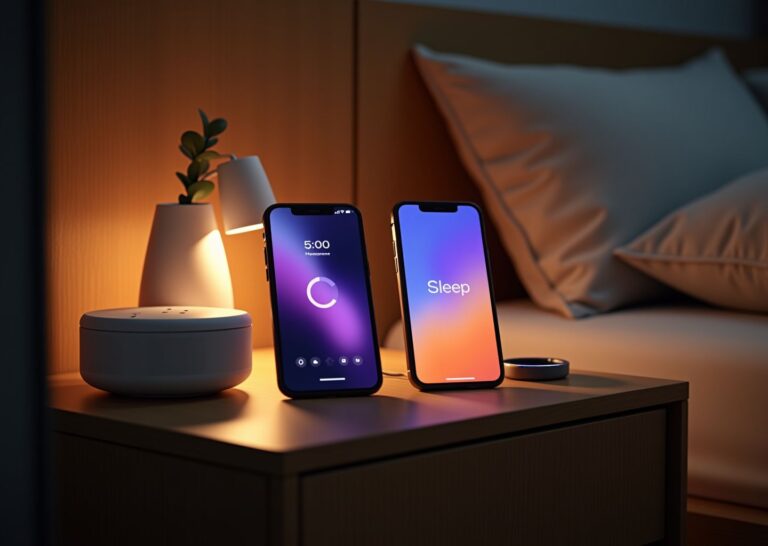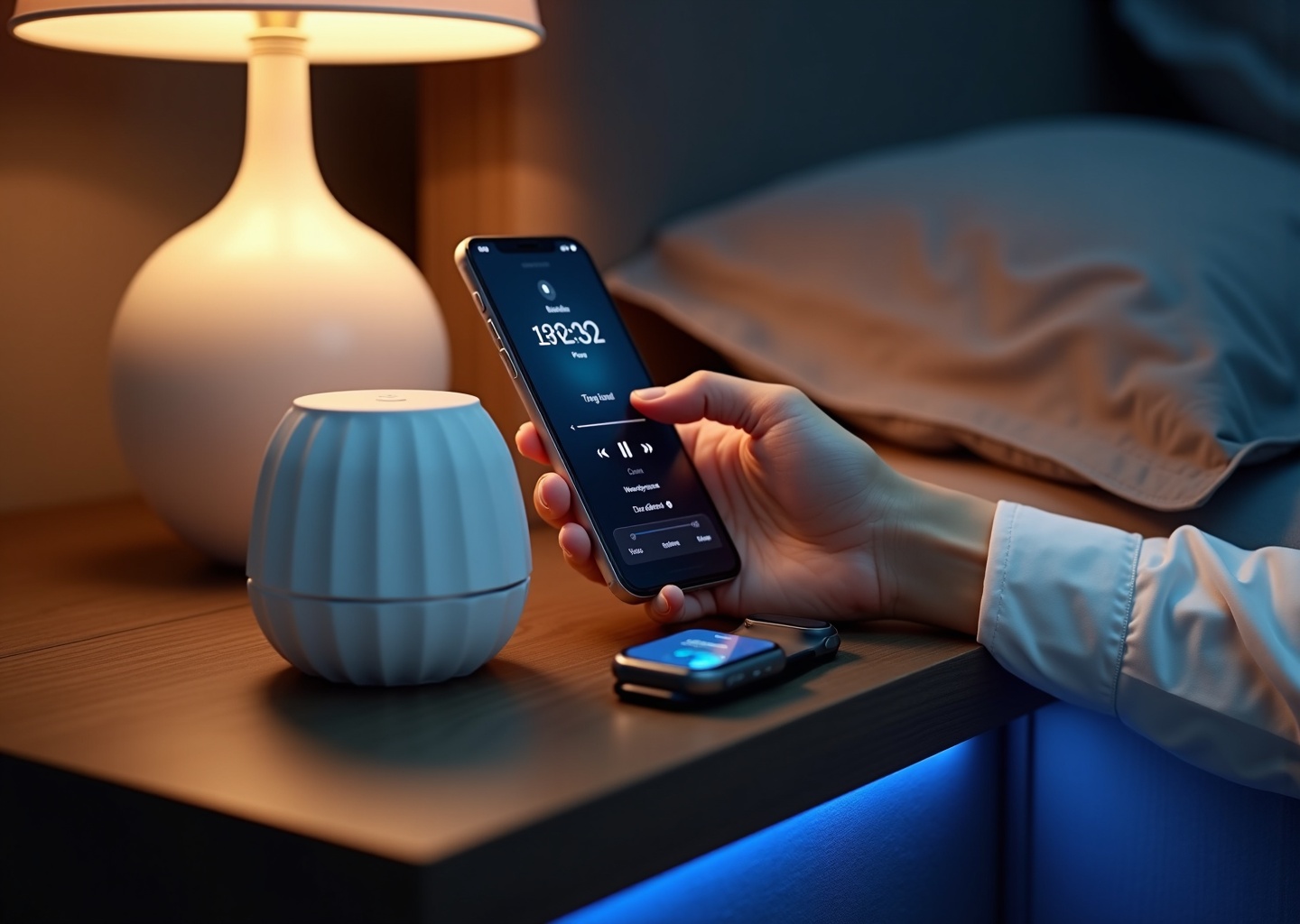
In 2025 the two leading mindfulness apps—Calm and Headspace—offer mature sleep toolkits and deeper device integrations. This article compares their sleep-focused content, clinical backing, device compatibility, and real-world results. Read on for an evidence-minded, gadget-aware guide to choosing the app that better supports sleep when paired with wearables, smart mattresses, white noise devices, and healthy habits.
How Calm and Headspace evolved for sleep by 2025
By 2025, the rivalry between Calm and Headspace in the sleep arena has become less about who is better and more about who is better for you. Both platforms have spent the last few years aggressively carving out distinct identities, moving beyond their shared meditation roots to become specialized sleep tools. Their evolution from 2023 to 2025 reveals two very different philosophies on how to help Americans get a good night’s rest.
Calm has doubled down on its position as a premium content library, essentially becoming the HBO of sleep. Its evolution focused on expanding what it does best: its signature Sleep Stories. The library has grown exponentially, with a continued emphasis on securing A-list celebrity narrators. Exclusive releases from major actors and musicians became a cornerstone of their 2024 marketing, making new story drops feel like major cultural events. Beyond stories, Calm invested heavily in its audio production, releasing exclusive sleep music albums and complex, layered soundscapes designed for immersive listening. Personalization also saw an upgrade; the app’s recommendation engine got smarter at curating nightly playlists based on listening history, moving beyond simple suggestions to create adaptive audio journeys. For paid users, this meant a constantly refreshing and high-quality stream of content designed to feel more like entertainment than a clinical tool.
Headspace took a different path, leaning into structure, science, and technology. Instead of competing with celebrity narrators, Headspace refined its Sleepcasts, which are 45-minute audio experiences that create a soothing, ambient environment with a softly spoken narrative. The major leap forward came in late 2024 with the full integration of its AI companion, which provides personalized wind-down routines based on user mood check-ins and activity data. This system suggests specific meditations, breathing exercises, or Sleepcasts tailored to the user’s reported stress levels that day. Functionality for wearables also improved significantly. Headspace enhanced its offline capabilities for smartwatches, making it easier to access short, calming exercises without a phone nearby, a feature aimed at users who want to disconnect from their screens before bed. Changes to its paid tiers reflected this focus, with premium access unlocking the full power of the AI personalization and the complete library of structured sleep courses.
When it comes to clinical validation, their approaches remain distinct. Calm often points to specific peer-reviewed studies, such as research indicating its programs can lower stress. This approach validates the content’s immediate effect. Headspace, on the other hand, positions itself through its broader commitment to the science of mindfulness and its partnerships with clinical researchers. Its structured programs are designed with mindfulness-based stress reduction (MBSR) principles in mind, framing sleep improvement as a skill learned through consistent practice rather than just a passive listening experience.
This divergence has clarified their product positioning for U.S. users in 2025. Calm is the clear leader in experiential audio and production value. It’s for the user who wants to be transported by a story or enveloped in a soundscape. It’s a sensory-first approach to relaxation. Headspace has solidified its role as a structured mindfulness coach. It appeals to the user who wants a clear program, tracks progress, and values a science-backed methodology for building healthier sleep habits.
Both apps have also deepened their integration into the wider tech ecosystem. By 2025, they both sync mindfulness minutes and sleep session data with platforms like Apple Health and Google Fit. They are fully compatible with smart speakers like Amazon Echo and Google Nest for easy playback of sleep audio. While neither app offers native sleep tracking, they pull data from and work alongside major wearables like the Oura Ring and Fitbit to inform their recommendations. However, for the most current and exact compatibility with specific devices or smart mattresses, it is always best to check the latest release notes in the app store and the official vendor documentation.
Direct comparison of sleep features and user experience
When you open both apps, their different approaches to sleep are immediately clear. Calm feels like a digital retreat, with soothing nature scenes and a vast, almost overwhelming library of audio. Headspace presents a cleaner, more organized interface, guiding you toward structured programs. But let’s break down exactly what each offers for your nightly wind-down in 2025.
Content and User Experience
Content Types and Quality
Calm’s crown jewel is its library of Sleep Stories. These are bedtime stories for adults, often narrated by famous voices like Kate Winslet and Matthew McConaughey. The production quality is cinematic, with high-fidelity audio that makes them incredibly immersive. They are designed to gently pull your focus away from anxious thoughts. Beyond stories, Calm offers a huge selection of sleep music, ambient soundscapes (like rain on a window), and guided meditations specifically for sleep. It’s a content-first experience designed for browsing and discovery.
Headspace takes a different route. It doesn’t have traditional stories. Instead, it offers Sleepcasts. These are 45-minute audio experiences that describe serene, dreamlike environments in soft detail, with the audio subtly changing each time you listen to prevent memorization. The goal isn’t to follow a plot but to let your mind drift. Headspace also features “Sleep Radio,” which provides hours-long, non-looping tracks of ambient sounds or music, perfect for leaving on all night. For those who wake up in the middle of the night, its “Nighttime SOS” sessions are short, targeted meditations to help you fall back asleep quickly.
Personalization and Structure
Headspace leans heavily into structured guidance. After you complete mood check-ins, its AI companion suggests specific wind-downs or meditations. It’s designed to help you build a consistent pre-sleep mindfulness habit. The app encourages you to follow multi-day courses on topics like “Restful Sleep” or “Winding Down.”
Calm’s personalization is more about user choice. While it has recommendation algorithms that create adaptive playlists, its strength lies in its sheer volume of content. You can build your own bedtime routines by mixing and matching stories, music, and soundscapes. It feels less like a school for your mind and more like a massive, high-end audio library you can explore at your own pace.
Sleep Tracking and Analytics
This is a critical point where both apps fall short if you’re looking for a built-in tracker. As of late 2025, neither Calm nor Headspace offers native sleep tracking or smart alarm functionality. They are content platforms, not sleep monitors. Both rely on integration with third-party services like Apple Health or Google Fit to log your “Mindful Minutes.” This means any sleep data you see associated with the apps is actually pulled from your wearable, like an Apple Watch or Oura Ring. Headspace offers habit-tracking streaks, but these measure your consistency with the app, not the quality of your sleep.
Pricing and Value for Sleep Users
Both apps operate on a freemium model, but the free content is limited and serves mostly as a preview. To access the premium sleep features that make them worthwhile, you’ll need a subscription.
- Free Trial: Both offer a 7-day free trial to explore their full libraries.
- Pricing: Headspace is slightly cheaper monthly at around $12.99, while Calm is about $14.99. Annually, they are very competitive, both costing around $70. Calm also offers a family plan, which adds significant value if multiple people in your household will use it.
- Paywall: Be prepared to pay. On Calm, nearly all the celebrity-narrated Sleep Stories are behind the paywall. On Headspace, the full library of Sleepcasts, courses, and Nighttime SOS sessions requires a subscription. The free versions won’t be enough for a consistent sleep routine. For a deeper dive into features and pricing, this Calm vs Headspace Review offers a detailed comparison.
Which App Is for You?
Your choice depends entirely on what you need to fall asleep.
Choose Calm if:
- You suffer from insomnia or a racing mind at night. The narrative-driven Sleep Stories are excellent for distraction.
- You are a shift worker or need to block out noise. The extensive library of music and soundscapes is ideal.
- You love variety and high production value and enjoy the idea of being told a story by a soothing, famous voice.
Choose Headspace if:
- You are a light sleeper who wakes up frequently. The “Nighttime SOS” feature is specifically designed for this.
- You want to build a structured, long-term mindfulness practice to improve your sleep hygiene.
- You are dealing with jet lag. The shorter, targeted wind-down sessions are perfect for adjusting to new time zones.
- You prefer a more scientific, less “woo-woo” approach to meditation and relaxation.
Using sleep apps with trackers gadgets and smart bedroom gear
Pairing a sleep app with your existing tech is where you can unlock real gains in your sleep quality. It’s not about the app working in isolation; it’s about building a smart, responsive sleep environment. Both Calm and Headspace can integrate into a tech-forward bedroom, but they do so in slightly different ways. The goal is to use the app as the trigger for your wind-down routine and your gadgets as the objective scorekeepers and environmental controls.
With wearables like the Apple Watch, Oura ring, Fitbit, or Garmin, the connection is primarily one of data correlation. Neither Calm nor Headspace offers deep, native sleep tracking. Instead, they sync “Mindful Minutes” or session data to Apple Health or Google Fit. You use your wearable to capture the hard data—sleep stages, heart rate, and HRV—and then you can see if listening to a 30-minute Sleep Story on Calm corresponds with a lower resting heart rate that night. Headspace has a slight edge with its on-watch app, making it easier to launch a quick wind-down meditation directly from your wrist without picking up your phone. Calm is better suited for casting to a speaker, with your wearable passively collecting data in the background.
The synergy with smart bedroom gear is more about routine-building than direct integration.
- Smart Mattresses and Bases
If you have a bed that tracks sleep and adjusts temperature, like an Eight Sleep Pod, you can manually sync its schedule with your app usage. For example, you can start a 45-minute Headspace Sleepcast at the same time your mattress begins its pre-sleep cooling phase. The app provides the mental relaxation while the hardware handles the physical environment. - White Noise and Sound Machines
This is a powerful combination. You can layer sounds for a more immersive effect. Try playing a guided meditation from Headspace at a low-to-medium volume to guide you toward sleep, while a dedicated white noise machine provides a constant, underlying hum to mask disruptive noises throughout the night. This prevents the abrupt silence that can occur when an app’s track ends. - Smart Speakers
Both apps have skills for Amazon Alexa and Google Assistant, making it easy to start a session hands-free. This is perfect for minimizing screen time right before bed. Headspace’s 8-hour Sleep Radio tracks are ideal for playing on a smart speaker all night long, providing a continuous soundscape without draining your phone’s battery. - Bedside Sleep Lights
Pairing an app with a light like the Hatch Restore creates a powerful audio-visual cue for sleep. You can program the light to begin a sunset simulation with dimming, warm-toned light while you start a Calm soundscape. This signals to your brain from two different sensory inputs that it’s time to wind down.
To figure out what truly works for you, you need to test it systematically. Here is a simple 2-to-4-week protocol to measure the impact.
A Practical Testing Protocol
- Week 1: Establish Your Baseline
Don’t use either app. Just use your wearable or sleep tracker to capture your typical sleep patterns. Every morning, log these key metrics:- Objective Metrics (from your tracker): Sleep Latency (how long it takes to fall asleep), Total Sleep Time, Number of Awakenings, Sleep Efficiency (percentage of time in bed you were actually asleep), Resting Heart Rate, and Heart Rate Variability (HRV).
- Subjective Metrics (your own rating on a 1-10 scale): Morning Sleepiness, Overall Mood, and Next-Day Performance.
- Weeks 2 & 3: The Intervention
Choose either Calm or Headspace and stick with it. Every night, engage in the same routine—for example, a 20-minute Calm Sleep Story or a 15-minute Headspace wind-down meditation. Start your session 30 minutes before your desired bedtime. Set the volume to a comfortable, low level where you can hear the words clearly but it isn’t jarring. If you’re using a white noise machine, set its volume even lower, just enough to create a background hum. Continue logging your objective and subjective metrics each morning. - Week 4: Analyze and Compare
Compare your baseline data from Week 1 to your data from Weeks 2 and 3. Did your sleep latency decrease? Did your HRV improve? Do you feel less sleepy in the mornings? The combination of hard data and your subjective feelings will give you a clear picture of which app, if any, is making a positive difference.
Common Pitfalls and Privacy Notes
Be mindful of a few common issues. First, device battery drain is a real concern. Playing an 8-hour audio track on your phone will drain it completely if it’s not plugged in. Similarly, extensive use of the apps on a smartwatch can significantly reduce its battery life. Second, you may encounter app background audio issues, where the audio stops if your phone locks or another app sends a notification. Check your phone’s battery optimization settings and ensure the app is allowed to run in the background.
On the content side, be cautious with binaural beats or certain intense sound frequencies if you have a history of seizures or epilepsy. It’s best to stick with sleep stories or simple ambient sounds.
Finally, a note on privacy. Both apps collect usage data to personalize your experience, and Headspace may ask for mood inputs. This data is typically anonymized, but it’s wise to review the app’s privacy policy and your phone’s health data permissions. You can often limit data sharing in your device settings if you prefer to keep your sleep and health information more private.
Common questions about choosing a sleep app
You’ve got questions, and when it comes to your sleep, you deserve clear answers. After testing both apps extensively, I’ve compiled this FAQ to address the most common dilemmas U.S. readers face when choosing between Calm and Headspace in 2025.
Q: Can these apps actually improve my sleep scores on my tracker?
A: Indirectly, yes. Neither app will magically increase your deep sleep percentage overnight. They don’t track sleep themselves. However, they are effective tools for improving the *conditions* for better sleep. By helping you reduce pre-sleep anxiety and shorten the time it takes to fall asleep (sleep latency), they can contribute to better overall sleep quality. Over several weeks of consistent use, you may see these improvements reflected in your Oura or Apple Watch data, such as a lower resting heart rate or fewer nightly awakenings.
Q: How do I use Calm or Headspace with my Apple Watch or Oura Ring?
A: Both apps offer Apple Watch companions that let you launch sessions from your wrist, which is great for avoiding your phone screen right before bed. Your sessions can sync to Apple Health as “Mindful Minutes.” With the Oura Ring, the integration is passive; you use the ring to monitor how your sleep metrics (like latency and HRV) respond to using the apps over time. You cannot control the apps from Oura. For the latest device compatibility, always check the app’s official page in the App Store.
Q: I travel a lot. How does offline playback work?
A: Both apps have excellent offline modes perfect for travel. Before your trip, you can download your favorite content directly to your device. Calm allows you to save Sleep Stories, music, and soundscapes. Headspace lets you download Sleepcasts, meditations, and even its 8-hour Sleep Radio tracks. This means you can access your go-to sleep aids on a plane or in a hotel with poor Wi-Fi without any issue.
Q: Is a family plan available, and which app is better for a household?
A: Calm is the clear winner here. It offers a family plan that covers up to six accounts with a single subscription, providing significant value. It also includes a dedicated “Calm Kids” section with content tailored for younger listeners. Headspace does not currently offer a comparable multi-user family plan, making Calm the more practical and economical choice for households.
Q: Are binaural beats or guided meditations safe if I have a history of trauma or seizures?
A: Caution is advised. If you have a history of seizures or other neurological conditions, it is best to avoid any audio content that uses binaural beats, as certain frequencies can be a potential trigger. For those with a history of trauma, some guided meditations or visualizations can be unexpectedly activating. You may want to start with instrumental music or nature soundscapes instead of voice-led sessions. Crucially, you should consult your doctor or a mental health professional to determine if these apps are a safe and appropriate tool for you.
Q: How do I cancel my subscription and manage my privacy settings?
A: You must cancel your subscription through the same service you used to sign up. If you subscribed through Apple or Google, you need to go into your phone’s App Store subscription settings to cancel. If you signed up on the Calm or Headspace website, you can cancel in your account settings there. Regarding privacy, both apps collect usage data to personalize your experience. You can visit the settings menu within each app to review their privacy policy and manage your data preferences.
Final takeaways and recommended setups for better sleep
After weighing the features, content, and user experience of both apps, the best choice really depends on who you are and what you need to get a good night’s rest. Here are our final recommendations tailored to different types of sleepers in 2025.
For the Insomnia Sufferer
Recommendation: Calm
If your mind races for hours, Calm is your best bet. Its massive library of Sleep Stories is designed specifically to distract a busy brain. Unlike a structured meditation that asks you to focus, these stories let your mind gently follow a narrative until you drift off. The sheer variety, from celebrity narrators to simple fiction, means you’re less likely to get bored.
- Ideal Nightly Routine: Start a Calm Sleep Story about 30 minutes before your desired bedtime. Pair it with a dedicated white noise machine like the Hatch Restore to mask household sounds once the story ends. Use an Oura Ring to track your sleep latency (time to fall asleep) and see if it decreases over time.
- Starter Settings: Choose a 30-45 minute Sleep Story. Set the app volume to about 40%, just loud enough to follow without being jarring. Turn off auto-play for the next story to avoid being woken up.
For the Frequent Traveler
Recommendation: Headspace
For those battling jet lag and unfamiliar hotel rooms, Headspace offers targeted, practical tools. Its “Nighttime SOS” sessions are perfect for when you wake up at 3 a.m. in a new time zone and can’t get back to sleep. The shorter, structured wind-downs are also easier to fit into a disrupted travel schedule. Both apps have good offline functionality, but Headspace’s bite-sized, problem-solving content gives it the edge for travel-related sleep issues.
- Ideal Nightly Routine: Use a 10-minute “Wind Down” session before bed to decompress from a travel day. Keep a pair of noise-canceling earbuds, like AirPods Pro, on your nightstand. If you wake up, immediately play a 5-minute “Falling Back to Sleep” SOS session instead of checking your phone.
- Starter Settings: Pre-download several SOS sessions and a few 10-minute wind-downs before your trip. Set the volume to 50% to block out hotel hallway noise through your earbuds.
For the Stressed Professional with 30 Minutes
Recommendation: Headspace
If you have a limited window to switch from work mode to sleep mode, Headspace’s structured, educational approach is more efficient. It teaches you the skill of winding down. The app guides you through specific breathing and visualization exercises designed to lower cortisol and calm your nervous system quickly. You can choose a 10, 15, or 20-minute session and know exactly what you’re getting, which is perfect for a tight schedule.
- Ideal Nightly Routine: Dedicate the last 20 minutes of your evening to a Headspace guided wind-down. Use this time in a dimly lit room, perhaps with a smart bulb like a Philips Hue that automatically warms and dims. Avoid any other screens during this period.
- Starter Settings: Start with a 15-minute “Sleep” meditation. Schedule it in your calendar for 30 minutes before bed. Set the volume to a comfortable 60%.
For the Tech Enthusiast
Recommendation: Headspace
If you love data and optimizing your sleep with gadgets, Headspace is the clear winner in 2025. Its integration with Apple Health and Google Fit allows for better data syncing. More importantly, its AI companion uses your mood check-ins and wearable data to provide smarter, more personalized recommendations for sleep sessions. This creates a feedback loop that a tech-savvy user will appreciate.
- Ideal Nightly Routine: Sync your Oura Ring or Apple Watch data with your health app. Do the daily mood check-in on Headspace and let its AI recommend an evening session. Play the audio through a smart speaker. Your smart mattress, like an Eight Sleep Pod, can use your biometric data to adjust the temperature for optimal sleep stages.
- Starter Settings: Enable all health data permissions between Headspace and your health app. Trust the AI’s recommendation for session type and length for the first week. Set the volume on your smart speaker to a low, ambient level.
For the Budget-Conscious Sleeper
Recommendation: Headspace
While both apps have similar annual pricing, Headspace offers a lower monthly subscription cost ($12.99 vs. Calm’s ~$14.99), making it more accessible if you’re paying month-to-month. Headspace’s free tier is also more functional for sleep, offering a few basic wind-down exercises and SOS sessions that are genuinely useful. Calm’s free content is much more limited, pushing you toward a subscription to get real value.
- Ideal Nightly Routine: Use the free “Falling Back to Sleep” meditation from Headspace. Pair it with a free white noise app on your phone or a simple box fan for consistent ambient sound.
- Starter Settings: Explore all the free content in the “Sleep” tab first. A 10-minute session is often enough to make a difference. Keep the volume low to conserve your phone’s battery overnight.
A final, crucial reminder. While these apps are powerful wellness tools, they are not a substitute for medical treatment. If you suffer from chronic insomnia or suspect you have a sleep disorder like sleep apnea, please consult a doctor or a board-certified sleep specialist. Your health should always be the top priority.
To determine which app works for you, commit to the systematic testing protocol outlined earlier. By comparing your baseline sleep data against a few weeks of consistent app use, you can combine objective metrics from your wearable with your own subjective feelings about your energy levels. This evidence-based approach will give you the clearest picture of what’s truly helping you sleep better.
Sources
- Calm vs Headspace (2025) – Comparing Stress Management Apps — A comparison of the Calm app and the Headspace app, looking at pricing, features, user-friendliness, and how well each works to relax you.
- Calm vs Headspace Review – Which Sleep App Is Best? (2025) — Calm and Headspace are two of the most popular mindfulness apps on the market. Both aim to help people fall asleep, soothe anxiety, and feel more present.
- Headspace Vs Calm | Which Meditation App Is Better in 2025? — AI companion features, alongside Calm's world-class Sleep Stories and immersive sensory experiences. By comparing their unique strengths …
- Headspace vs Calm: Which App Offers the Best Meditation … – Liven — Calm focuses more on immediate relief through soothing sounds, mindfulness practices, and sleep stories. Which app has better free features?
- Best Sleep Apps of 2025 – Sleep Foundation — Calm is ideal if you enjoy listening to relaxing stories while you fall asleep. The app's extensive library includes stories for adults and children.
- Best Meditation Apps: Features Comparison 2025 — Compare six top meditation apps by features, pricing, free trials, and best uses to find the right fit for sleep, stress relief, or focus.
- Top 5 Meditation Apps in 2025: Honest Comparisons & Real User … — Typical list prices: Headspace monthly ~$12.99 with annual plans varying by offer; Calm monthly ~$16.99 with annual ~$69.99–$79.99; Insight …
Legal Disclaimers & Brand Notices
Medical Disclaimer: The content of this article, including discussions regarding insomnia, sleep disorders, the use of binaural beats, and recommendations for managing stress and sleep hygiene, is provided for informational purposes only. It is not intended to be a substitute for professional medical advice, diagnosis, or treatment. Always seek the advice of a qualified healthcare provider, such as a physician or board-certified sleep specialist, with any questions you may have regarding a medical condition, chronic insomnia, or before starting any new wellness program. Never disregard professional medical advice or delay seeking it because of something you have read in this article.
Trademark Acknowledgement: All product names, logos, and brands mentioned in this article, including but not limited to Calm, Headspace, Apple Watch, Oura Ring, Fitbit, Garmin, Amazon Echo, Google Nest, Apple Health, Google Fit, Hatch Restore, Philips Hue, AirPods Pro, and Eight Sleep Pod, are trademarks or registered trademarks of their respective owners. Use of these names, trademarks, and brands does not imply endorsement.